Article Detail
Building a Quality Strategy for Your Prompt Library
Your prompt library needs one.
Context: What Is a Prompt Library?
A prompt library is a shared collection of prompts, templates, or instructions that a team or organization uses to interact with AI systems. Think of it as the modern equivalent of a code library, except instead of reusable functions, you’re storing reusable ways of talking to machines. They save time, reduce inconsistency, and capture organizational knowledge.
Why Does Everyone Want One?
- Efficiency: Reuse a tested prompt instead of reinventing it every time.
- Consistency: Teams respond in a unified tone and style, with predictable output.
- Knowledge Capture: A library is a living record of what works.
Why the Default Answer Is Often “No”
Despite the benefits, most organizations hesitate to formally share or standardize prompts:
- Risk of Misuse: A poorly written prompt can accidentally bypass guardrails.
- Quality Drift: Prompts that worked last month may behave differently after model updates.
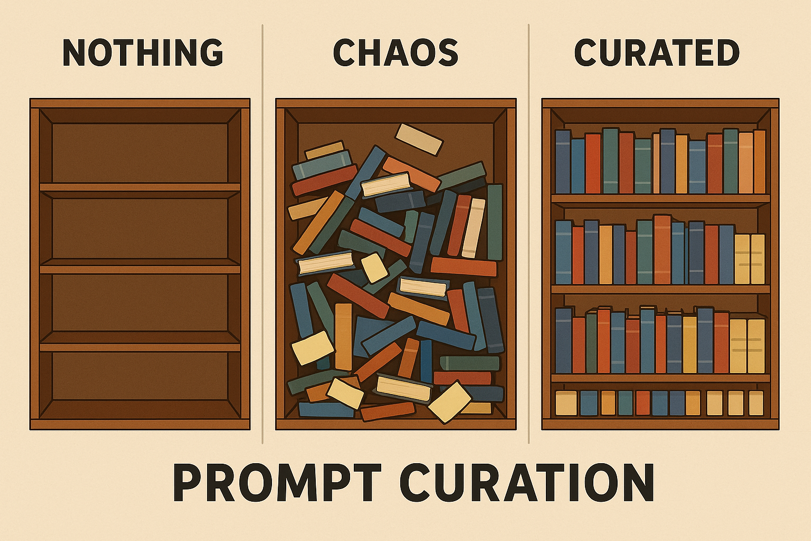
- Duplication & Chaos: Without discipline, a shared library quickly becomes a junk drawer.
The Safer Path: Curated, Validated, and Maintained Prompts
The key is not just sharing prompts—it’s sharing prompts that are tested, validated, and actively maintained. That’s where a quality strategy comes in.
A prompt library without a test plan is a ticking time bomb. Left unmanaged, it invites silent failures, regulatory risk, and loss of trust. With a test plan, it becomes an asset that compounds value over time.
---
The Prompt Library Quality Maturity Scale
Every organization starts somewhere. Rather than treat testing as an all-or-nothing leap, we can view it as a journey of maturity. Here’s a practical scale you can use:
Level 1: Ad Hoc Testing
- Description: Testing is manual, unstructured, often done by the person writing the prompt.
- Risks: Inconsistent coverage, fragile trust.
- Next step: Capture test cases in a shared spreadsheet, so at least the whole team sees the same checks.
Level 2: Structured Manual Testing
- Description: A defined set of test cases tracked in spreadsheets or simple tools.
- Practices: Clear pass/fail criteria, periodic review sessions.
- Next step: Add lightweight automation—scripts that validate formatting, counts, or JSON structure.
Level 3: Semi-Automated Validation
- Description: Prompts run through validation scripts, with partial automation of expected outputs.
- Practices: Schema validation, keyword checks, or regular expressions for format.
- Next step: Integrate tests into workflows so they’re triggered before sharing or publishing.
Level 4: Automated Regression Suite
- Description: Tests are fully automated, run on schedules or pipelines, with results logged.
- Practices: Regression checks ensure older prompts still behave as intended.
- Next step: Incorporate system-level tests for multi-step workflows.
Level 5: Continuous Quality Governance
- Description: Testing is continuous, auditable, and tied into governance frameworks.
- Practices: Coverage reports, alerting on failures, and version control for prompt evolution.
- End Goal: A prompt library that is as trustworthy as production code.
---
Step 1 (Level 1 → 2): Define the Scope
- Are you testing individual prompts, templates, or workflows?
- Start small: focus on the top 5–10 prompts that drive the most value.
Step 2: Identify Failure Modes
- Accuracy drift: The AI gives subtly different answers over time.
- Compliance failures: Prompts slip past guardrails.
- Formatting errors: JSON output is invalid or missing fields.
- Performance issues: Multi-step chains slow down.
Step 3: Write Test Cases
Each test case should include:
- Input: The prompt or template.
- Expected output: Strict (valid JSON) or flexible (3 risks listed).
- Pass/fail criteria: Binary, measurable.
- Notes: Why this matters, who owns it.
Example:
Test Case: Customer Risk Summary
Input: "Summarize top 3 risks for a food processing plant."
Expected: 3 distinct risks, written in complete sentences.
Pass if: Count == 3 AND sentences complete.
Step 4: Choose Your Testing Mode
- Manual: Spreadsheet with test cases and checkmarks. Great for small shops.
- Semi-automated: Scripts to validate structure (e.g., JSON schema checks).
- Automated regression: CI/CD integration for continuous validation.
Step 5: Build a Quality Strategy
- Frequency: Decide how often to run tests (weekly, monthly, pre-release).
- Ownership: Assign responsibility—individuals, rotating reviewers, or teams.
- Feedback loop: Failures must trigger review, not just logging.
- Scaling: Expand coverage as the library grows.
Step 6: Start Small, Grow Big
- Begin with 5 test cases.
- Expand to cover your most critical prompts.
- Aim for a balanced suite: regression (old prompts still work), unit (new prompts pass), and system (multi-step flows stay intact).
---
Closing Thought
A prompt library is only as strong as the trust it inspires. Without testing, it becomes a fragile collection of guesswork. With a quality strategy, it becomes a foundation for scale, innovation, and safety.
This article is the start of a series. In future pieces, we’ll unpack each maturity level—showing how to move from spreadsheets to scripts, from scripts to regression pipelines, and ultimately to continuous governance. The goal isn’t to force one method—it’s to nudge teams to choose some quality strategy and grow it.